
As chairperson, are you responsible for planning meetings?
If so, proceed as follows:
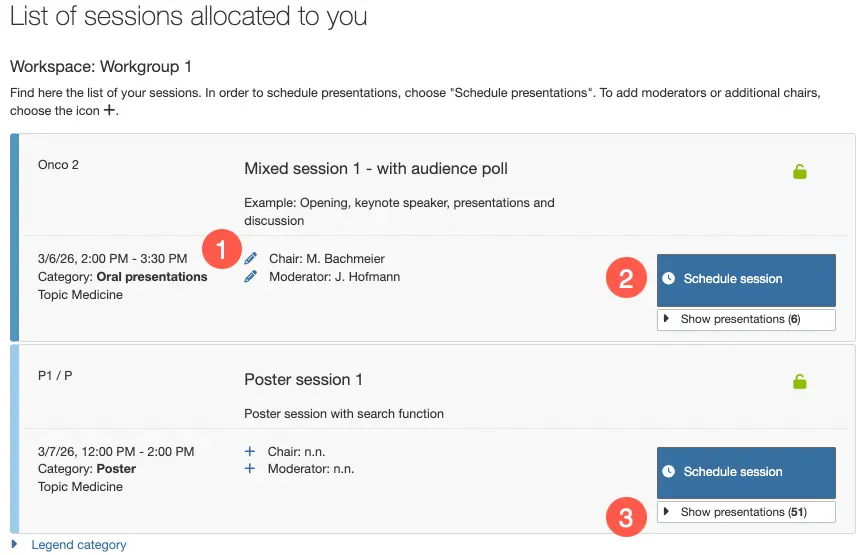
Log in to the system using your access data. The "Program planning" menu item will open. The view "List of sessions allocated to you" will give you an overview of the meetings to be planned.
Your editing options
Contributors: Use the
pencilandplusicons to add moderators or additional chairs, or to change assignments.Schedule session: Click on the
Schedule sessionbutton to open the scheduling view. Depending on whether the session is oral or poster, the presentations will be scheduled either in a time overview or without times.Show scheduled presentations: Clicking on
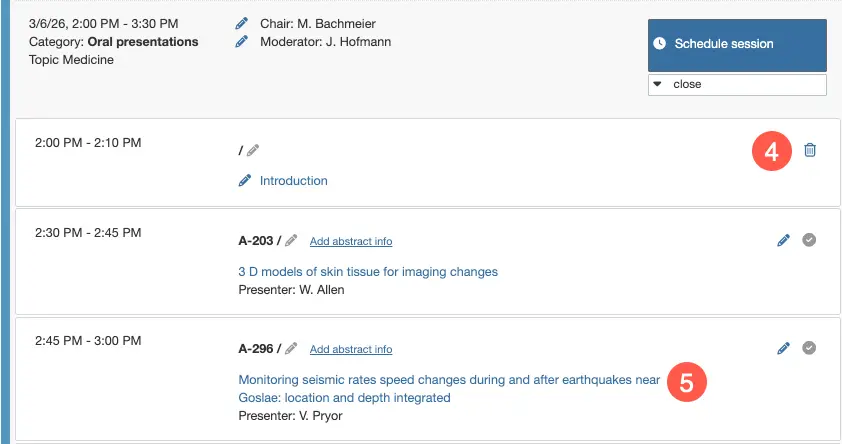
Show presentationsopens an overview of all the posts scheduled during the session.Delete: Use the
delete iconto remove lectures/events that you have created. To remove an abstract from a session, open the session planning view.Abstract text: Click on the linked abstract title to open the reading mode.
Related articles
What types of contributions can be planned?
Schedule sessions
For information on planning oral or poster sessions, see: